
Accessing the Report #
When the QA review is complete, the findings report is displayed automatically.
If you close the report, it can be accessed at any time from the Project Dashboard, where all QAReady reviews are stored within the QAReady tool.
Understanding the Results #
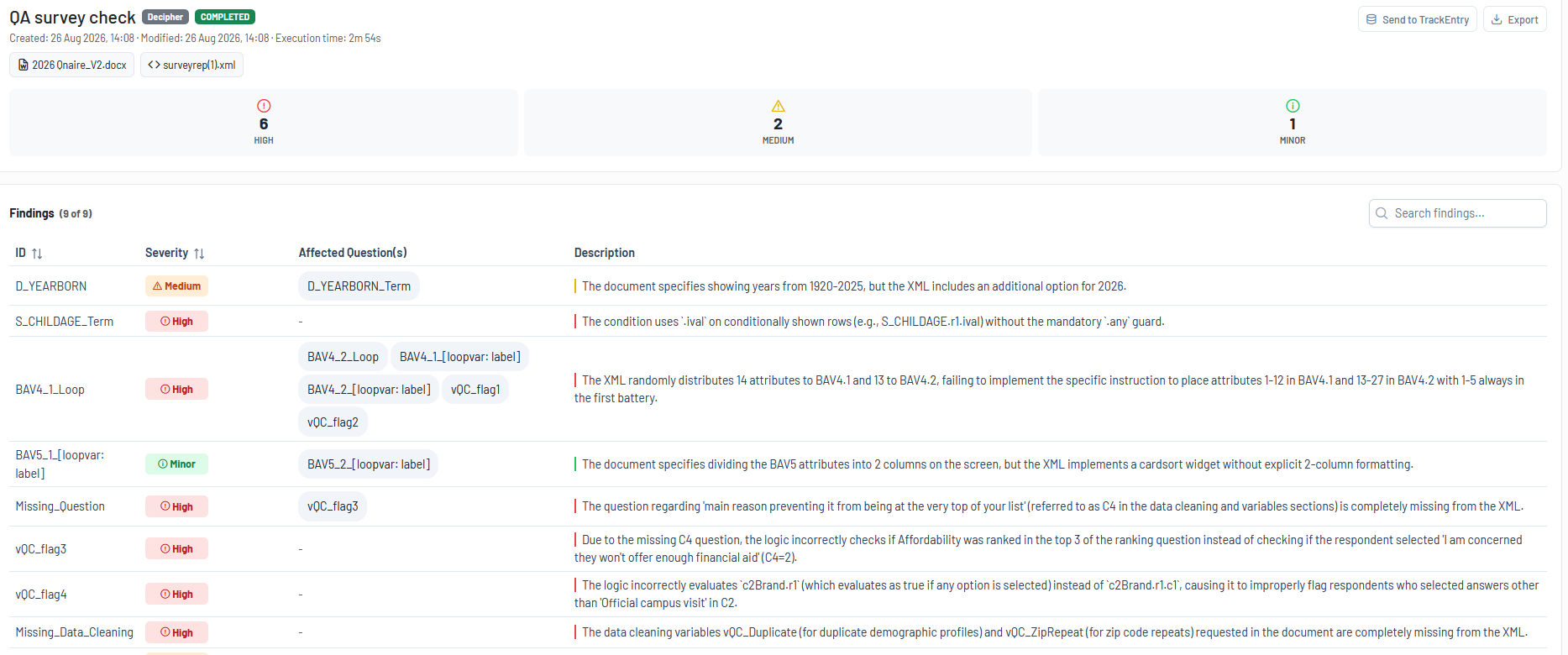
The QAReady findings are presented in a table with four primary columns:
- ID: Identifies the question or section affected by the finding
- Severity: Indicates the importance of the issue:
High: Must be addressed
Medium: Recommended to address
Minor: Optional improvement - Affected Question(s): Lists the questions impacted by the finding
- Description : Provides a detailed explanation of the issue, including references to the source of discrepancy
A findings summary is provided above the table. It shows a breakdown of all identified issues by severity level. Each severity category displays the number of associated findings and can be selected to filter the report, showing only findings of the chosen severity.
Additional functionality includes:
- Quick access in the upper left corner of the window to all files used during the review, allowing you to open the relevant source documents directly
- Sorting by ID or Severity
- Search functionality to help navigate reports with a large number of findings
Export and Sharing Options #
QAReady includes export and sharing capabilities to support collaboration, review, and issue resolution workflows.
You can either transfer findings directly to TrackEntry within the project or export the results for external use.

Integration with TrackEntry #
Send Findings to TrackEntry: Selected QAReady findings can be transferred directly to TrackEntry, providing a structured process from issue identification to issue management.
This integration supports a clear workflow from “issue identified” to “action assigned and tracked”.
Key Features:
- Convert all findings or selected findings into follow-up actions
- Preview entries before creation
- Add custom tags where applicable
- Modify descriptions if required
- Map QAReady severity levels to TrackEntry priorities
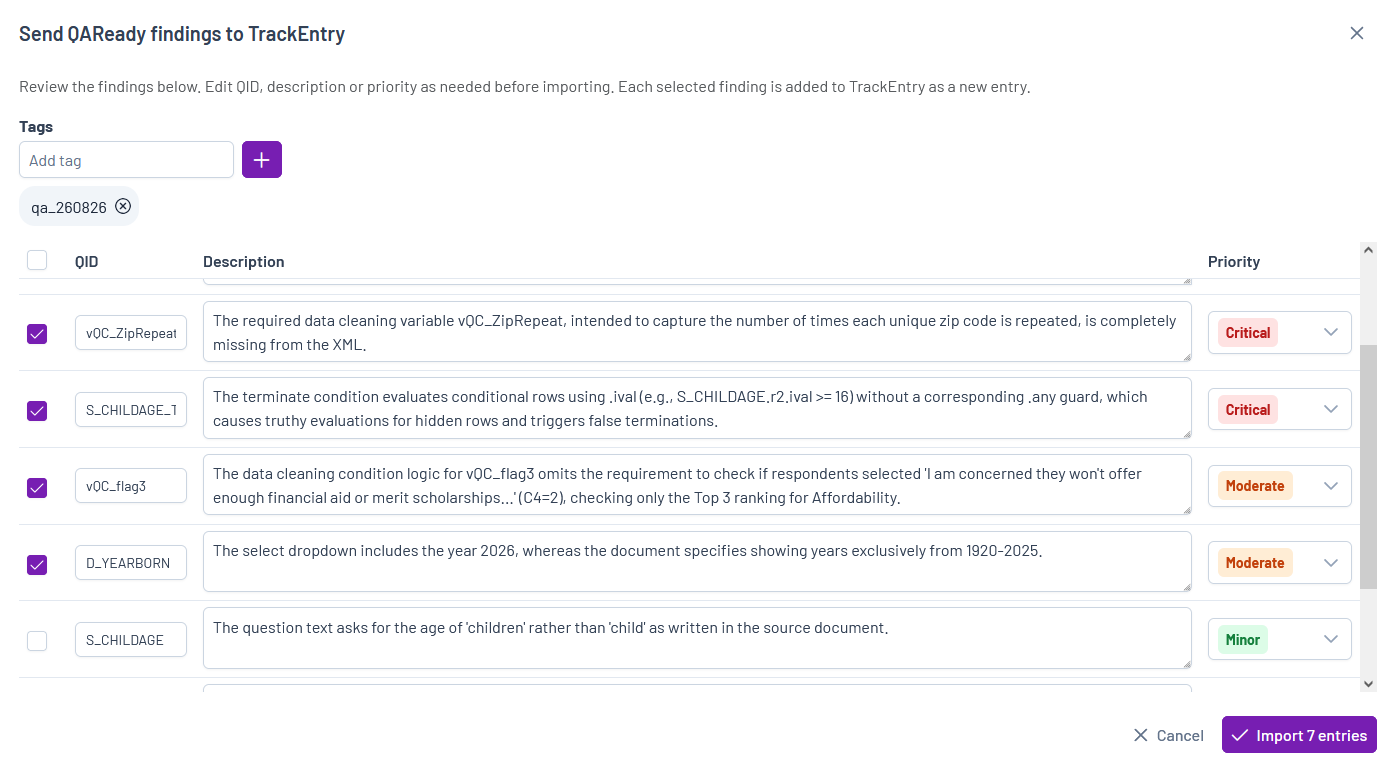
After import, the created items will be available in the project’s TrackEntry page.
Export #
QAReady findings can also be exported for offline review and sharing. Supported export formats include:
- CSV
These exports can be used for documentation, stakeholder review, or external issue-tracking processes.